Product Stock Notification Alert for OpenCart helps store owners recover lost sales by allowing customers to subscribe for notifications when out-of-stock products become available again.
When a product is unavailable, the default Add to Cart button is replaced with a Notify Me option. Customers can submit their email and receive automatic notifications once the product is restocked.
The extension supports product-level and option-level alerts, ensuring accurate notifications even for configurable products such as size, color, or other variations.
Built-in automation, analytics, and customer self-service tools make this a complete solution for managing demand and improving conversion rates in your OpenCart store.
Problem Statement
Customers often leave an OpenCart store when they see a product is out of stock. Without a notification system, these potential buyers may never return, resulting in lost sales and missed revenue opportunities.
Store owners also lack visibility into which products customers are actively waiting for, making it difficult to plan inventory effectively.
This extension solves the problem by allowing customers to subscribe for stock alerts and automatically notifying them when the product becomes available again, bringing interested buyers back to complete their purchase.
Who Is This Extension For?
This OpenCart extension is ideal for:
Stores with frequently changing inventory
Stores selling popular or fast-moving products
Stores offering configurable products with options
The purpose of this OpenCart extension is to help store owners capture customer interest even when products are unavailable.
Instead of losing potential buyers, customers can subscribe for stock alerts and receive notifications when products are restocked.
The extension also provides valuable insights into customer demand, helping store owners make informed inventory decisions and improve product availability strategy.
By automating communication and providing demand analytics, this extension helps increase sales and improve customer satisfaction.
Stores wanting to measure customer interest before restocking
Stores launching new products and collecting early demand
Stores wanting automated customer notifications
Stores wanting better demand insights
Expected Results
Increased sales from returning customers
Improved customer engagement
Better inventory planning decisions
Reduced lost sales opportunities
Improved customer satisfaction
Better understanding of product demand
Increased repeat visitors
More efficient store management
Automated customer communication
Improved conversion rates
Requirements
OpenCart store
Email functionality enabled on server
Cron job access recommended for automation
SMS gateway API required for SMS notifications (optional)
Why Choose HuntBee for Your OpenCart Store?
When you install a HuntBee extension, you are choosing a solution built by an experienced OpenCart specialist who understands real-world store challenges.
Explore what this extension can do for your store, with practical examples.
Storefront Features
Feature
What it does / Real-world example
Let shoppers request a back-in-stock alert
When a product is treated as unavailable, shoppers can submit a request to be notified when the store considers it available again.
Show a Notify Me button for unavailable products
The extension adds an alternative notification action where its configured stock rules say an item cannot currently be purchased.
Request alerts for specific product options
For products with selectable options, the extension can retain the option values involved in the customer's stock alert.
Record how many units a shopper needs
An alert request can record the customer's requested quantity, helping the store understand demand beyond a simple subscriber count.
Accept notification requests from guest shoppers
Customers can request a stock alert without first signing into an OpenCart customer account.
Choose which contact details to ask for
The notification form can show configured name, email, mobile-number and comments fields, with optional required-field rules.
Offer popup or embedded notification forms
Choose a popup-style alert form or an embedded form to suit the storefront's product-page layout.
Choose the notification popup's appearance
Available popup effects and custom CSS help the alert form better match a store's theme.
Protect the subscription form with optional reCAPTCHA
When enabled and configured, Google reCAPTCHA checks a shopper's alert submission.
Warn shoppers about duplicate notification requests
The submission flow checks for an existing matching stock-alert request before saving another one.
Acknowledge successful alert subscriptions
An optional acknowledgement email can confirm that a shopper's notification request was recorded.
Notify subscribers when products become available
Pending subscribers can receive a back-in-stock email when the configured notification process determines that their product is available.
Link notification emails back to the product
Back-in-stock messages can include a direct product link, with optional campaign parameters for analytics.
Support stock-alert messages by SMS when configured
With a suitable SMS HTTP API or a separately installed OpenCart SMS integration, the extension can send configured acknowledgement or back-in-stock texts.
Display notification text in each store language
Configure language-specific button labels, form messages, placeholders, warnings and acknowledgement wording.
Admin & Management
Feature
What it does / Real-world example
Choose when low stock should trigger the Notify button
Set a stock quantity threshold for deciding when products should offer the notification form.
Apply optional out-of-stock status filters
Select which OpenCart stock statuses should be considered when applying quantity-based alert rules.
Control the Notify button product by product
Switch to manual mode and choose which products display the alert button, regardless of their physical quantity or stock status.
Mark a manually selected product ready for notification
In manual mode, deselect a product from the alert list to make its pending subscribers eligible for the next notification run, even if quantity remains zero.
Send selected notifications without a stock check
Select subscription records in Alerts and use Notify Selected (Overrides Stock Check) to send eligible messages without checking quantity or stock status.
Check products and send notifications on demand
Use the Check Products & Notify action to run the configured stock checks and process pending requests without waiting for cron.
Review every saved stock-alert request
The Alerts tab lists saved requests, including products, customer details, quantities, request dates and notification dates where available.
Find specific alerts quickly
Search subscriptions using product and customer details and filter the results by category, manufacturer, product status or notification state.
See subscriber and purchase information
Available records can show contact details, customer age, prior completed orders and purchase indicators to help evaluate demand.
See which unavailable products customers want
The Demand tab consolidates stock-alert requests by product and shows requested quantities, alert totals and notified counts.
Manage out-of-stock products from one list
The Out-of-Stock Products tab provides a searchable view of relevant products, quantities, option quantities, stock statuses and notification controls.
Update product stock directly from the extension
Change a product's quantity from the alert-management interface instead of opening the full product editor.
Update quantities for product option values
Where option-stock information is available, edit individual option quantities from the management list.
Spot differences between product and option quantities
The product list can warn when a product's main quantity differs from the sum of its option quantities.
Change a product's out-of-stock status quickly
Update the selected product's OpenCart stock status directly from the stock-alert management screen.
Enable or disable products from the alert list
Change product status from the management table without navigating to the full product editor.
Filter the stock-management list
Find products by supported identifying details and narrow the view with category, manufacturer, enabled state and notification status.
Remove or reset selected stock alerts
Selective operations can delete selected subscription records or reset their notification state for further processing.
Create and maintain notification email templates
Create, edit, rename, preview and remove templates used for subscription acknowledgement, admin alerts and back-in-stock messages.
Start emails from built-in layouts and samples
Choose a starting email layout and content sample, then customize its width, colors and text in the template editor.
Edit the notification email body visually
The built-in rich-text editor supports changes to email content and formatting without requiring a separate email designer.
Insert live product and subscriber details into email templates
Supported placeholders can be replaced with store, product, price, customer and notification details when the message is prepared.
Configure sender, reply and subject information
Templates support sender name, sender address, reply-to, subject and optional BCC settings.
Preview emails at different screen widths
Review template output in desktop, tablet and mobile preview widths before using it for notifications.
Use separate templates for different alert events
Assign appropriate email designs for subscription acknowledgement, new-subscription admin notices and back-in-stock notifications.
Choose notification templates by language
Select supported customer-facing email templates for each configured OpenCart language.
Receive admin email alerts for new subscriptions
When enabled, a configured administrator address receives a notification when a shopper submits a stock-alert request.
Enable or disable individual email types
Control whether acknowledgement, administrator and back-in-stock email messages are enabled.
Customize acknowledgement and back-in-stock SMS text
Define language-specific SMS message content and enable supported SMS events when an SMS delivery method is configured.
Configure required fields and phone-length checks
Choose required contact fields and set minimum and maximum lengths for mobile numbers.
Adjust the form design and popup dependencies
Configure custom CSS, popup animation and whether to include the extension's Magnific Popup assets.
Customize per-language form labels and errors
Edit notification button text, informational copy, field labels, placeholders and validation messages separately for each language.
Manage alert settings for different OpenCart stores
Switch between stores to maintain relevant alert settings, records and configured email templates.
See notification trends and products in demand
Statistics include monthly alert trends, notified-versus-pending totals and leading demanded products, brands and categories.
Export subscription, product and demand records
Download the supported Alerts, Out-of-Stock Products and Demand datasets as CSV files.
Choose the information shown in admin lists
Toggle available product and customer detail columns so the management tables focus on relevant information.
Inspect notification processing logs
Enable operational logs to review processing activity and clear them from the admin when no longer needed.
Clean old or unwanted notification records
Tools can delete all, pending-only or already-notified alert records, and include a repair action for invalid historical notification dates.
Automation & Maintenance
Feature
What it does / Real-world example
Automatically check pending alerts on a schedule
Configure the supplied authenticated cron command to process pending subscriptions according to the selected stock rules.
Process manual availability changes through cron
In manual-product mode, scheduled processing can notify pending subscribers after the relevant product is no longer selected for alerts.
Respect option-level stock during automatic notifications
For subscriptions involving selected options, the normal automatic sender checks option quantities before treating the requested variation as available.
Record when a customer notification was sent
When the send routine reports success, the extension updates the alert's notified date for reporting and future processing.
Email a consolidated product-demand report to admin
A separate authenticated cron endpoint can send the store administrator a report of products customers are waiting for.
Restrict scheduled actions with an access key
The notification and demand-report endpoints check the configured authentication key before processing cron requests.
Storefront Features
Feature
What it does / Real-world example
Let shoppers request a back-in-stock alert
When a product is treated as unavailable, shoppers can submit a request to be notified when the store considers it available again.
Show a Notify Me button for unavailable products
The extension's OpenCart 4 storefront integration can present a notification action when configured stock-validation rules identify an unavailable product.
Request alerts for specific product options
For products with selectable options, the extension can retain the option values involved in the customer's stock alert.
Record how many units a shopper needs
An alert request can record the customer's requested quantity, helping the store understand demand beyond a simple subscriber count.
Accept notification requests from guest shoppers
A shopper can register a stock alert without creating or signing into an OpenCart customer account.
Prefill contact details for signed-in customers
When a shopper is logged in, the stock-alert form can prefill their name, email and telephone using available account details.
Choose which contact details to ask for
The notification form can show configured name, email, mobile-number and comments fields, with optional required-field rules.
Offer popup or embedded notification forms
Choose a popup-style alert form or an embedded form to suit the storefront's product-page layout.
Choose the notification popup's appearance
Available popup effects and custom CSS help the alert form better match a store's theme.
Protect the subscription form with optional reCAPTCHA
When enabled and configured, Google reCAPTCHA checks a shopper's alert submission.
Warn shoppers about duplicate notification requests
The submission flow checks for an existing matching stock-alert request before saving another one.
Acknowledge successful alert subscriptions
An optional acknowledgement email can confirm that a shopper's notification request was recorded.
Notify subscribers when products become available
Configured back-in-stock emails can notify subscribers when the stock-alert process determines that their product is available again.
Link notification emails back to the product
Back-in-stock messages can include a direct product link, with optional campaign parameters for analytics.
Support stock-alert messages by SMS when configured
Configure an SMS HTTP API to send supported subscription and availability messages; the separate HuntBee SMS integration requires its own installation.
Display notification text in each store language
Configure language-specific button labels, form messages, placeholders, warnings and acknowledgement wording.
Admin & Management
Feature
What it does / Real-world example
Choose when low stock should trigger the Notify button
Set a stock quantity threshold for deciding when products should offer the notification form.
Apply optional out-of-stock status filters
Select which OpenCart stock statuses should be considered when applying quantity-based alert rules.
Control the Notify button product by product
Switch to manual mode and choose which products display the alert button, regardless of their physical quantity or stock status.
Mark a manually selected product ready for notification
In manual-selection mode, turning off a product's Notify setting makes its pending subscribers eligible for back-in-stock notification on the next run, even with zero inventory.
Send selected notifications without a stock check
From the Alerts tab, choose subscription records and use Notify Selected to send them without quantity or stock-status checks.
Check products and send notifications on demand
Use Check Products & Notify to process pending alerts based on the selected stock rules without waiting for a scheduled job.
Review every saved stock-alert request
The Alerts tab lists saved requests, including products, customer details, quantities, request dates and notification dates where available.
Find specific alerts quickly
Search subscriptions using product and customer details and filter the results by category, manufacturer, product status or notification state.
See subscriber and purchase information
Available records can show contact details, customer age, prior completed orders and purchase indicators to help evaluate demand.
See which unavailable products customers want
The Demand tab consolidates stock-alert requests by product and shows requested quantities, alert totals and notified counts.
Manage out-of-stock products from one list
The Out-of-Stock Products tab provides a searchable view of relevant products, quantities, option quantities, stock statuses and notification controls.
Open stock alerts from the administrator navigation
The extension registers an admin navigation link with a count of pending stock-alert subscriptions, helping staff find requests to review.
Update product stock directly from the extension
Change a product's quantity from the alert-management interface instead of opening the full product editor.
Update quantities for product option values
Where option-stock information is available, edit individual option quantities from the management list.
Spot differences between product and option quantities
The product list can warn when a product's main quantity differs from the sum of its option quantities.
Change a product's out-of-stock status quickly
Update the selected product's OpenCart stock status directly from the stock-alert management screen.
Enable or disable products from the alert list
Change product status from the management table without navigating to the full product editor.
Filter the stock-management list
Find products by supported identifying details and narrow the view with category, manufacturer, enabled state and notification status.
Remove or reset selected stock alerts
Selective operations can delete selected subscription records or reset their notification state for further processing.
Create and maintain notification email templates
Create, edit, rename, preview and remove templates used for subscription acknowledgement, admin alerts and back-in-stock messages.
Start emails from built-in layouts and samples
Choose a starting email layout and content sample, then customize its width, colors and text in the template editor.
Edit the notification email body visually
The built-in rich-text editor supports changes to email content and formatting without requiring a separate email designer.
Insert live product and subscriber details into email templates
Supported placeholders can be replaced with store, product, price, customer and notification details when the message is prepared.
Configure sender, reply and subject information
Templates support sender name, sender address, reply-to, subject and optional BCC settings.
Preview emails at different screen widths
Review template output in desktop, tablet and mobile preview widths before using it for notifications.
Use separate templates for different alert events
Assign appropriate email designs for subscription acknowledgement, new-subscription admin notices and back-in-stock notifications.
Choose notification templates by language
Select supported customer-facing email templates for each configured OpenCart language.
Receive admin email alerts for new subscriptions
When enabled, a configured administrator address receives a notification when a shopper submits a stock-alert request.
Enable or disable individual email types
Control whether acknowledgement, administrator and back-in-stock email messages are enabled.
Customize acknowledgement and back-in-stock SMS text
Define language-specific SMS message content and enable supported SMS events when an SMS delivery method is configured.
Configure required fields and phone-length checks
Choose required contact fields and set minimum and maximum lengths for mobile numbers.
Adjust the form design and popup dependencies
Configure custom CSS, popup animation and whether to include the extension's Magnific Popup assets.
Customize per-language form labels and errors
Edit notification button text, informational copy, field labels, placeholders and validation messages separately for each language.
Manage alert settings for different OpenCart stores
Use the admin store switcher to manage supported stock-alert settings, subscription data and email template assignments for different storefronts.
See notification trends and products in demand
Statistics include monthly alert trends, notified-versus-pending totals and leading demanded products, brands and categories.
Export subscription, product and demand records
Download the supported Alerts, Out-of-Stock Products and Demand datasets as CSV files.
Choose the information shown in admin lists
Toggle available product and customer detail columns so the management tables focus on relevant information.
Inspect notification processing logs
Enable operational logs to review processing activity and clear them from the admin when no longer needed.
Clean old or unwanted notification records
Tools can delete all, pending-only or already-notified alert records, and include a repair action for invalid historical notification dates.
Automation & Maintenance
Feature
What it does / Real-world example
Automatically check pending alerts on a schedule
The extension provides an authenticated cron command for processing pending stock-alert requests on a configured schedule.
Process manual availability changes through cron
In manual-product mode, scheduled processing can notify pending subscribers after the relevant product is no longer selected for alerts.
Respect option-level stock during automatic notifications
For subscriptions involving selected options, the normal automatic sender checks option quantities before treating the requested variation as available.
Record when a customer notification was sent
When the send routine reports success, the extension updates the alert's notified date for reporting and future processing.
Email a consolidated product-demand report to admin
A separate authenticated cron command prepares and emails a consolidated report of products shoppers are waiting for.
Restrict scheduled actions with an access key
The cron endpoints validate a configured authentication key before carrying out notification or demand-report processing.
Instead of the default Add to Cart button, the extension displays a Notify Me button. This allows customers to subscribe to be notified when the product becomes available again.
Click the Notify Me button.
A subscription form will appear where the customer can enter the required quantity and email address to register for the stock alert.
Once submitted, the alert is saved and the customer will be notified automatically when the product quantity is updated.
Login credentials are already prefilled in the demo.
After logging in, navigate to the Stock Alert extension to view:
Alerts Tab
Displays all customer subscription records, including product name, quantity requested, email address, and subscription date.
This helps you understand which products customers are waiting for.
Statistics Tab
Shows graphical insights that help you analyze demand trends and identify high-interest products.
Templates Tab
Allows you to create and manage multiple email templates for sending stock notifications.
You can customize email content according to your store branding.
Settings Tab
Configure how the notify form appears on the storefront.
You can choose between:
Popup form
Embedded form directly on product page
Rules Settings
Control where the Notify button appears.
You can configure rules based on:
Product quantity
Stock status
Or manually choose specific products where the notify button should appear.
Out-of-Stock Products Tab
Displays products currently out of stock.
You can manually select products where the Notify button should be enabled.
This gives full control over how the feature is applied across your store.
This demo shows how the extension helps capture customer demand, track interest in out-of-stock products, and bring customers back to your store once items are available.
Version number updated to follow our latest versioning protocol
Email template system updated for email type
Few more sample email templates added
Setting fields added for stock alert page manager
One ocmod. No separate ocmod for full pro addon.
VERSION : 10.0.7
DATE RELEASED: 04 Feb 2024
Minor fix related to google chart & jquery (opencart 3.0.3.9)
VERSION : 10.0.6
DATE RELEASED: 20 Jan 2024
Compatibilty test for opencart 3.0.3.9 and php8+
VERSION : 10.0.5
DATE RELEASED: 26 Apr 2023
Fixed issue. Product ID was empty when there is no category assigned to the product. Updated the SQL query in the admin model file to fix this issue.
VERSION : 10.0.4
DATE RELEASED: 15 Mar 2022
Multiple out-of-stock status selections
Minor validation
Template ID number in the template dropdown field
Updated Patches
VERSION : 10.0.2
DATE RELEASED: 03 Jan 2022
Fixed issues with Multi-store setup
VERSION : 10.0.1
DATE RELEASED: 08 Dec 2021
Minor fix w.r.t to SMS API
VERSION : 10.0.0
DATE RELEASED: 03 Nov 2021
Extension redesigned & more features added
New table added to the database to support manual product selection
Quick Edit for Product Quantity, Product Option Quantity, Product Status, Product Out-of-Stock Status
More information about the customer
AJAX Quick filter
Filter by Category, filter by Manufacturer, filter by product status, filter by notified status
Demands Tab: List out all the products that are in demand along with stats like total quantity required, and total alerts for the product, and total notified.
Out-of-Stock Products Tab : List of all products where notify function is enabled.
Improved Stats Tab: Monthly Alert Trend, Demand by Brands, Demand by Category, Demand by Products
Email Template system changed. Create unlimted templates and map template easily
Form type option added. Easily switch between popup mode or embedded mode
Colored row for rows that are notified
Hide/Show columns in the admin table
Pop up has been removed for the product list/grid items. Now it will redirect to the product page if product is out-of-stock. This feature can be added by the support team (if required). A small snippet has to be added to the core js file
Auto delete entries where product is no longer available in the database
CSV Export options for subscription data, products, products demand
VERSION : 9.0.5
DATE RELEASED: 13 Aug 2019
Email Validation Function Updated
Multiple selections of records for Notify Selected
VERSION : 9.0.4
DATE RELEASED: 04 Jun 2019
Updated the extension for the latest Journal 3.0.34
Collecting product reviews has never been easier with FeedbackFlow, a powerful OpenCart extension designed to streamline the review collection process. This extension automatically sends review request emails to customers aft..
Hide Products from List Without Affecting SEO gives OpenCart store owners better control over product visibility without disabling or deleting products.
The extension hides selected or unavailable products from normal stor..
Abandoned Cart Emails - PRO is a complete OpenCart abandoned cart recovery extension designed to help store owners recover lost sales through automated, well-timed email follow-ups.
Instead of relying on a basic first emai..
This OpenCart Analytics and Conversion Tracking Extension integrates Google Analytics, Google Ads, and Facebook Pixel into your OpenCart store, enabling enhanced eCommerce reporting and web analytics tracking. From tracking p..
Managing stock levels efficiently is crucial for any eCommerce business. The Low Stock Alert Manager for OpenCart ensures that you never run out of stock by notifying you when product quantities drop below a set thr..
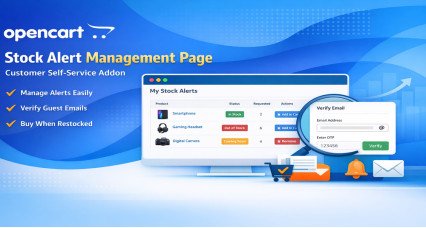
The Premium Stock Alert Page Add-on for OpenCart provides customers with a dedicated self-service area where they can view and manage their product stock notifications directly from the storefront.
This enterprise-level ad..
How does the Product Stock Notification Alert extension enhance customer engagement in OpenCart?
The Product Stock Notification Alert extension significantly enhances customer engagement by automatically notifying shoppers when an out-of-stock item becomes available again. This keeps your customers connected and increases the likelihood of return visits to your store.
What are the benefits of using the Product Stock Notification Alert for my online store?
Using the Product Stock Notification Alert offers multiple benefits: it ensures customers are promptly informed about restocks, helps in capturing lost sales, and provides insights into product demand which can guide inventory decisions.
Can the Product Stock Notification Alert extension support multiple languages and stores?
Yes, the Product Stock Notification Alert extension is designed with multi-store and multi-language compatibility, allowing you to effectively manage notifications across different stores and cater to a diverse customer base.
How can I track customer interest in specific products with the Product Stock Notification Alert?
The Product Stock Notification Alert provides advanced analytics and reports, including demand by brand or category and a list of the top 10 most demanded out-of-stock products, helping you track customer interest and manage stock more efficiently.
Does the Product Stock Notification Alert extension offer options for customizing the subscription form?
Yes, the Product Stock Notification Alert extension allows customization of the subscription form. You can enable or disable fields, choose between popup or embedded form modes, and select different popup animation effects.
What kind of notifications does the Product Stock Notification Alert send to subscribed customers?
The Product Stock Notification Alert sends automatic and manual email notifications to customers when an item is back in stock. It also supports SMS notifications and customizable HTML email templates for a personalized touch.
How does the Product Stock Notification Alert help in managing customer subscriptions?
This extension offers a robust customer subscription system, allowing customers to sign up for alerts on out-of-stock items. It also includes features for subscription confirmation and admin alerts when new subscriptions are made.
Is it possible to automate and schedule reports with the Product Stock Notification Alert?
Yes, the Product Stock Notification Alert supports automated admin reports via Cron Jobs, which can be scheduled daily or weekly to keep you updated on stock demand and customer alert activities.
Can I use the Product Stock Notification Alert to send alerts based on specific stock quantities?
Absolutely, the Product Stock Notification Alert allows for dual-mode stock validation. You can set alerts to trigger based on specific stock quantities or simply use the out-of-stock status, with options for manual overrides.
How can I ensure customer data is prefilled in the Product Stock Notification Alert subscription form?
The extension automatically prefills the subscription form for logged-in customers with their name, email, and phone, enhancing the user experience and increasing the likelihood of subscription.
What kind of reports can I generate with the Product Stock Notification Alert?
With the Product Stock Notification Alert, you can generate detailed reports including pie charts of total notified versus awaiting notifications, and bar charts analyzing demand by brand or category.
How does the Product Stock Notification Alert help in managing out-of-stock situations?
The Product Stock Notification Alert helps manage out-of-stock situations by enabling store owners to quickly update stock statuses, notify interested customers, and keep track of demand, thus optimizing stock levels and reducing missed opportunities.
Can I delete subscription records in bulk with the Product Stock Notification Alert?
Yes, the Product Stock Notification Alert includes admin tools for bulk actions, allowing you to delete all records, only notified records, or those awaiting notification, helping you manage data efficiently.
Does the Product Stock Notification Alert integrate with Google Analytics for tracking?
Yes, the Product Stock Notification Alert integrates with Google Analytics for campaign tracking. This feature enables you to monitor customer engagement and effectiveness of the notification campaigns.
What support is available for the Product Stock Notification Alert in case of template conflicts?
The Product Stock Notification Alert comes with free support to resolve any template conflicts, ensuring smooth integration and functionality across various custom and standard OpenCart templates.
License & Support
What is included with this HuntBee extension purchase.
Lifetime usage license
Your license does not expire. You can continue using the purchased extension on the licensed OpenCart store/domain.
Free premium support for 6 months
Standard support includes installation guidance, configuration help and assistance with the extension's own functionality.
Updates while support is active
Extension updates are available during your active support period. You can renew support later when you need continued updates or assistance.
Third-party theme or extension conflicts, custom development and store-specific modifications are not included in standard support.
Select Language
This extension / product is currently unavailable to download. Enter your email address below and we will notify you as soon as the product becomes active.